How to Use Meta Ads to Grow a Business in Kenya
A practical setup guide for choosing a goal, building an advert, setting a budget and judging results.
In this article
To use Meta Ads to grow a business in Kenya, choose one business goal, prepare a clear offer and set a test budget before building an advert in Meta Ads Manager. You will need a Facebook account with the right business access, a payment method accepted by Meta, a destination for interested customers and time to review results. Start small enough to learn without putting essential operating cash at risk.
Paid advertising can put an offer in front of people, but it cannot fix a confusing product, a slow response to enquiries or a checkout that does not work. Use the steps below to build a campaign around a real business outcome, then make decisions from the results you can verify.
What should you prepare before creating a Meta ad?
Write down the action you want a customer to take: buy a product, make an enquiry, book a service, visit a shop or sign up. Choose one primary action for the first campaign. Then make sure the customer can complete it. A WhatsApp number, product page, booking form or physical shop address can serve as a destination, depending on the offer.
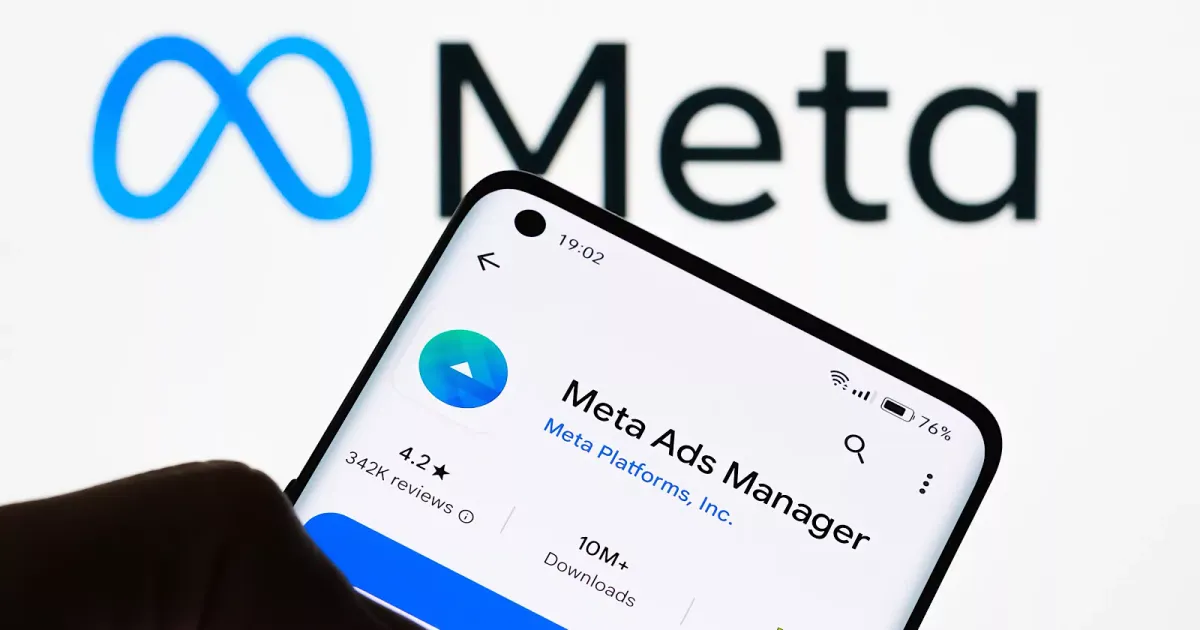
Prepare the basics before opening Ads Manager: a short description of the offer, a suitable image or video, the price or terms customers need to know, and a way to answer questions. Check that your business account has permission to manage the relevant Facebook Page or Instagram account. Meta's menu names and available campaign options can change, so follow the choices shown in your account.
How do you set up a Meta Ads campaign step by step?
- Choose one measurable business goal. Decide what success means before you spend. For a shop, it might be purchases; for a service provider, qualified enquiries or bookings. Avoid choosing an objective simply because it sounds popular. Select the campaign objective that best matches the action you want, using the options available in Ads Manager.
- Choose where customers will respond. Send people to a working website page, an available messaging option, a lead form or another destination that supports your goal. Test the destination on a phone and computer. Check that prices, contact details and next steps are clear. If you use messaging, make sure someone can respond during the hours you advertise.
- Define the audience you can serve. Set the location to areas where you can deliver, provide service or accept customers. Add audience details only when they relate to your offer and the tools allow them. Do not target places you cannot reach. If you already have customer information, use it only when you have the necessary rights and permissions.
- Set a test budget and schedule. Choose a daily or campaign budget that your business can afford to spend without relying on a guaranteed return. Set a clear start and end point for the test. Your costs and results will depend on the campaign, audience, offer and competition; no budget guarantees sales. Check the billing currency and payment settings shown in your account before publishing.
- Build the advert around one offer. Use a clear image or video, explain what you sell and state the next action plainly. Include important conditions, such as availability, delivery limits or booking requirements. Write in language your intended customers understand. Keep the creative and the destination page consistent so people see the same offer after they tap.
- Review placements and preview the advert. Ads may appear across Meta services depending on the campaign settings. Review the placements available and preview the advert in the formats offered. Make sure text remains readable, the image shows the product or service accurately and the call-to-action leads to the correct destination. Remove or adjust placements only when you have a clear reason to do so.
- Check tracking before you publish. Confirm that the destination opens and that any form, checkout or contact button works. If you measure website actions, use the tracking tools available for your site and test them where possible. A business without reliable tracking can still count enquiries or orders manually, but should record how each result arrived.
- Publish and monitor delivery. Review the campaign details, budget, dates, audience and advert one more time. After publishing, check that the campaign is active and delivering. Record the date, spend and results in a simple sheet or business log. Do not make repeated edits before you have enough information to assess what happened.
- Compare results with the business goal. Count the outcome that matters: completed orders, relevant enquiries, bookings or another defined action. Compare that number with the amount spent and consider whether the customers were a good fit. Clicks and views can show that people noticed an advert, but they do not prove that the campaign generated profitable sales.
- Make one informed change at a time. If people see the advert but do not respond, review the offer, creative and destination. If enquiries arrive but do not become sales, examine the response process, pricing clarity and customer fit. Change one element, such as the image or audience, then record the result. Pause an advert if it is spending beyond your limit without producing useful outcomes.
How can a Kenyan business make its campaign more useful?
Match the advert to what your business can actually deliver. If you serve only certain counties or towns, state the service area and limit targeting accordingly. If delivery, collection or appointment availability affects the purchase, explain it before customers contact you. This reduces avoidable questions and helps people decide whether the offer suits them.
Use a phone-friendly destination because many customers may encounter an advert on a phone. Check loading, buttons, forms and contact details on the devices you and your customers use. Keep a simple record of spend in the currency displayed in your Meta account and of sales or enquiries in your own business records. That gives you a practical basis for deciding whether to continue, revise or stop.
What should you do if a Meta ad is not working?
- The advert is not delivering: Check its approval status, schedule, budget, audience settings and payment status in Ads Manager. Correct any notices shown in the account before changing unrelated campaign elements.
- People click but do not enquire or buy: Open the destination yourself. Confirm that it works, explains the offer and makes the next step obvious. Check whether the advert promised something the page does not provide.
- You receive irrelevant enquiries: Make the offer and service area more specific. Review the audience settings and the wording that attracts responses.
- You cannot tell which sales came from the advert: Ask customers how they found the business, use a campaign-specific message or code where appropriate, and keep a dated record of spend and outcomes.
- Costs are higher than expected: Check the amount spent and the business results, not just individual engagement figures. Pause the campaign if it exceeds your planned limit, then review the offer and setup before restarting.
How should you decide whether to increase the budget?
Increase spending only after the campaign produces outcomes you can verify and your business can fulfil the extra demand. Check that the cost of acquiring a customer makes sense for your own margins and operating costs; there is no universal acceptable cost for every Kenyan business. If the campaign has not met its goal, keep the test capped and revise the weakest part instead of assuming a larger budget will solve the problem.
Before your next campaign, write down the goal, maximum test spend, dates, target locations, destination and result you will count. Publish only after you have tested the customer journey from advert to enquiry or purchase, and pause the campaign when it reaches your spending limit without delivering the outcome you set.