
M-Pesa statements is a list of all transactions from your M-Pesa account over a set period of time, usually monthly.
The M-Pesa statement includes deposits, charges, withdrawals, as well as the beginning and ending balance for the period.
How you can receive M-PESA Statements
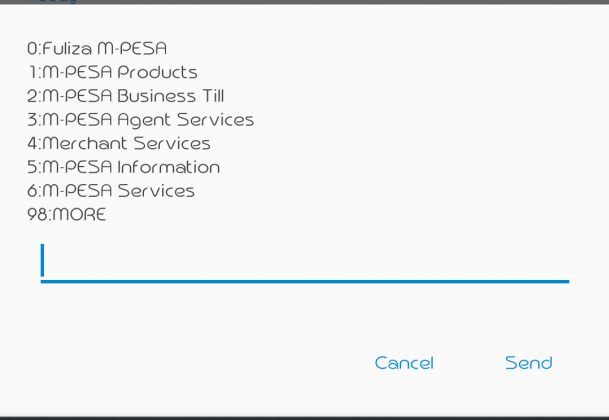
You can now receive Monthly M-pesa statement easily on email by simply dialling the USSD code *234# from your mobile phone.
Procedure;
- Dial *234#
- Select ‘My M-PESA Information’,
- Click on M-PESA Statement
- Select ‘Full Statement’ then register with your National ID or document of registration number
- Confirm your email.
You will then get a message confirming that you have registered for the service. Your M-PESA statement will then be sent to you via email by the 5th of every month.