
Streaming platforms have become a major source of entertainment. With over 200 streaming services offering movies and TV shows, there’s no shortage of options.
However, subscribing to multiple platforms can be expensive, leading many to seek alternative ways to watch their favorite movies for free.
One popular method is downloading movies from free websites like Goojara. But is it safe? And how can you do it efficiently?
Let’s explore everything you need to know about Goojara, its features, legal considerations, and step-by-step download methods.
Disclaimer: This article is for educational purposes only. We do not endorse or promote copyright infringement or illegal downloading. Always respect intellectual property laws in your country.
What is Goojara? An Overview
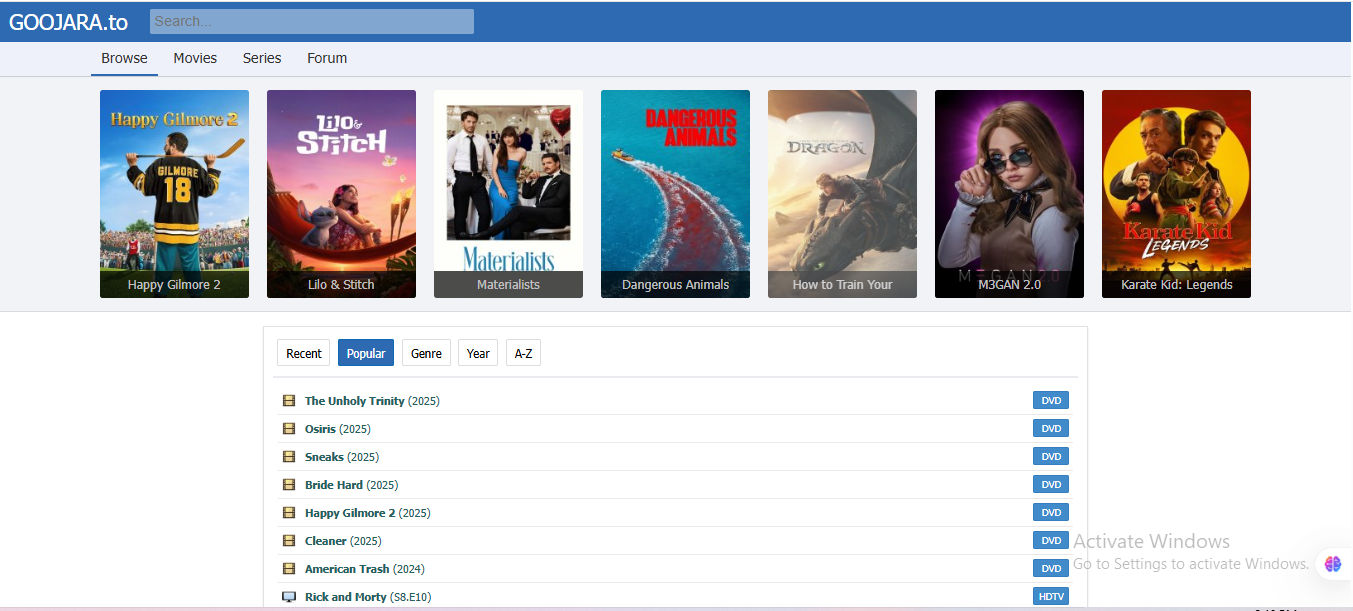
Goojara is a widely used online platform that offers free access to a broad collection of movies across various genres. Unlike some streaming sites, Goojara doesn’t require users to register or provide personal details.
Its extensive library includes both classic favorites and the latest releases, many of which are not available on paid subscription services yet.
The website makes it easy to find movies by categories like popular, top-rated, or recent releases, streamlining your viewing experience.
Genres Available on Goojara
- Animation
- Adventure
- War
- Science Fiction
- Horror
- Comedy
- Mystery
- Thriller
Plus, movies are available in multiple languages, including French, Korean, Hindi, Italian, and German.
All videos are offered in high definition, supporting resolutions like DVD quality, 720p, 1080p, and HDR, depending on your internet connection. This enables users to enjoy a cinematic experience at no cost on any device.
Features of Goojara: Why Many Users Prefer It
- User-Friendly Interface: Easy navigation allows you to find and download movies without hassle.
- Multi-Device Compatibility: Access Goojara on smartphones, tablets, or computers.
- Multiple genres: Quickly browse through categories or search for specific titles.
- No Registration Needed: No emails, passwords, or payments required.
- Subtitles: Supports movies with subtitles or in different languages to enhance understanding and enjoyment.
Legal and Security Considerations: What You Need to Know
While Goojara offers free entertainment, it’s crucial to understand the legal and security risks involved:
Legal Risks
Downloading or streaming copyrighted movies without proper licensing can lead to serious legal penalties, including hefty fines and criminal charges. These websites often host content without approval from content owners, infringing copyright laws.
Security Threats
Free websites can be a source of malware, pop-ups, and phishing attempts. Clicking on suspicious ads or links may compromise your device or steal personal data. It’s essential to use security tools like antivirus software, VPNs, and ad blockers when accessing such sites.
Ethical Use
Always consider the ethical implications. Avoid distributing downloaded content or sharing them on other platforms, as this can worsen legal complications.
How to Download Movies from Goojara: Step-by-Step Guide
Method 1: Using Chrome Extensions
- Open your preferred web browser.
- Visit the Goojara website.
- Browse or search for your desired movie.
- Click on the movie thumbnail.
- Install the “Video Downloader Professional” extension on Chrome.
- Reload the Goojara page and click on the movie.
- Click the extension icon.
- Select your preferred file format and quality.
- Download will begin automatically.
Method 2: Using Video Download Software (e.g., EaseUS Video Downloader)
- Download and install EaseUS Video Downloader on your PC or Mac.
- Copy the URL of the movie on Goojara.
- Launch the software and paste the URL.
- Choose desired quality (720p, 1080p, 4K).
- Click “Download” to save the movie directly to your device.
Method 3: Downloading via Alternative Domains
Some sites operate under different URLs like “goojara.to” or “g-oojara.com”. Use these to access the content, follow similar steps to load and download movies. Be cautious of fake or malicious sites.
Method 4: Downloading on Mobile Devices
- Open your mobile browser.
- Visit the Goojara website.
- Find and tap your favorite movie.
- Play the movie and tap on the screen.
- Click the “Download” option.
- The file will save to your device’s download folder.
Additional Tips for Safe Movie Downloading
- Use Antivirus Software: Protect your device from malware and malicious files.
- Utilize a VPN: Keep your IP address private and bypass regional restrictions safely.
- Install Ad Blockers: Prevent intrusive ads and pop-ups that could lead to harmful sites.
- Avoid Sharing Content: Do not distribute downloaded movies illegally.
Conclusion
Goojara offers a free, convenient platform for movie lovers eager to explore a wide variety of genres without subscribing to multiple streaming services.
Although it provides easy access to movies, users should always be cautious of legal and security risks. Employing VPNs, antivirus tools, and ad blockers can help keep your device safe while enjoying your favorite films.
Remember: Always respect copyright laws and use such sites responsibly.